

OhAPI Designer
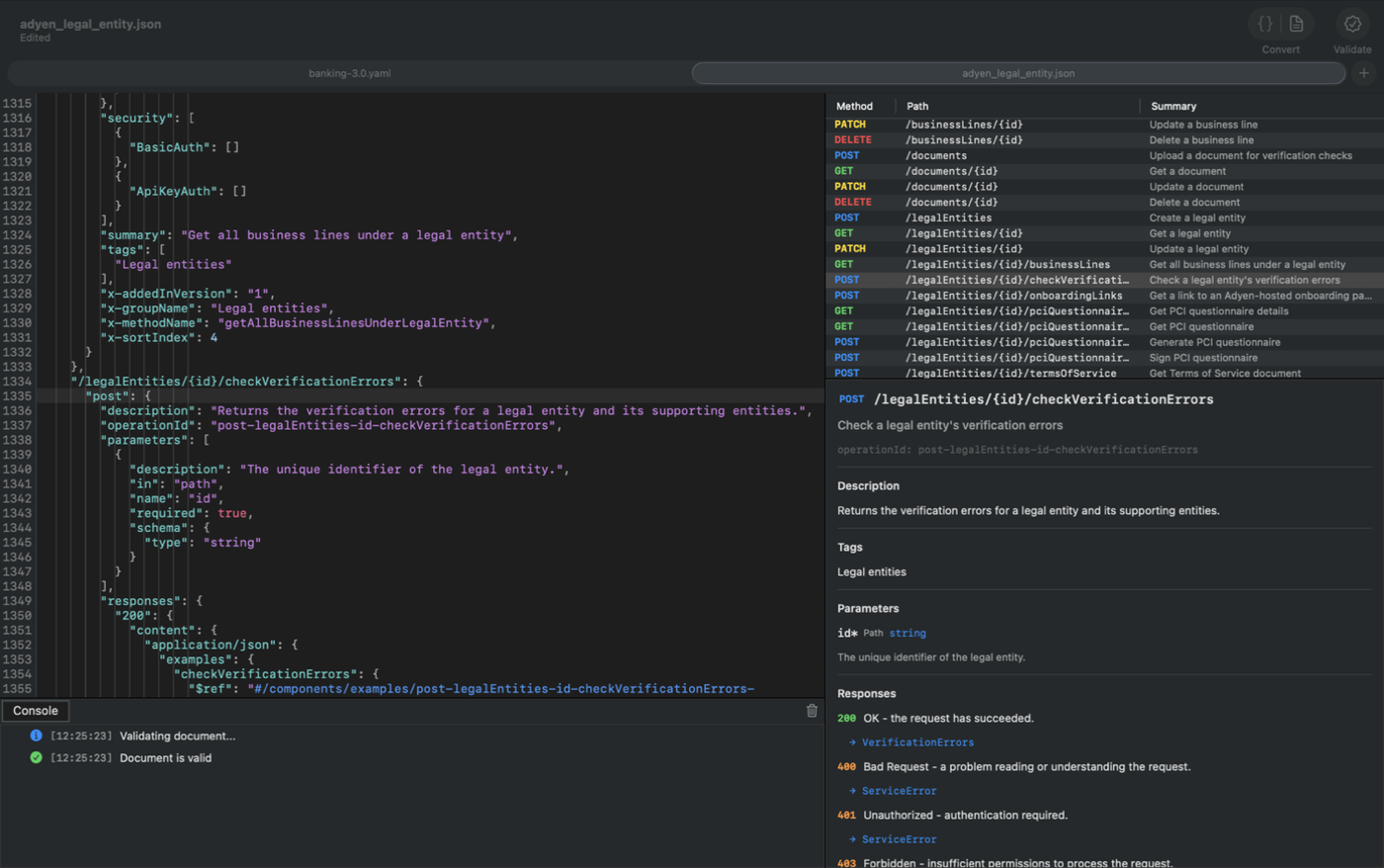
A native macOS editor built for OpenAPI specifications. Context-sensitive completions, inline validation, snippet templates, and a visual operations panel — all in a single window.

Key Features
Everything you need to author, validate, and navigate OpenAPI specifications on macOS.
Intelligent Code Editor
Syntax highlighting, indent guides, auto-indentation, and current-line highlight for JSON and YAML.
Context-Aware Completions
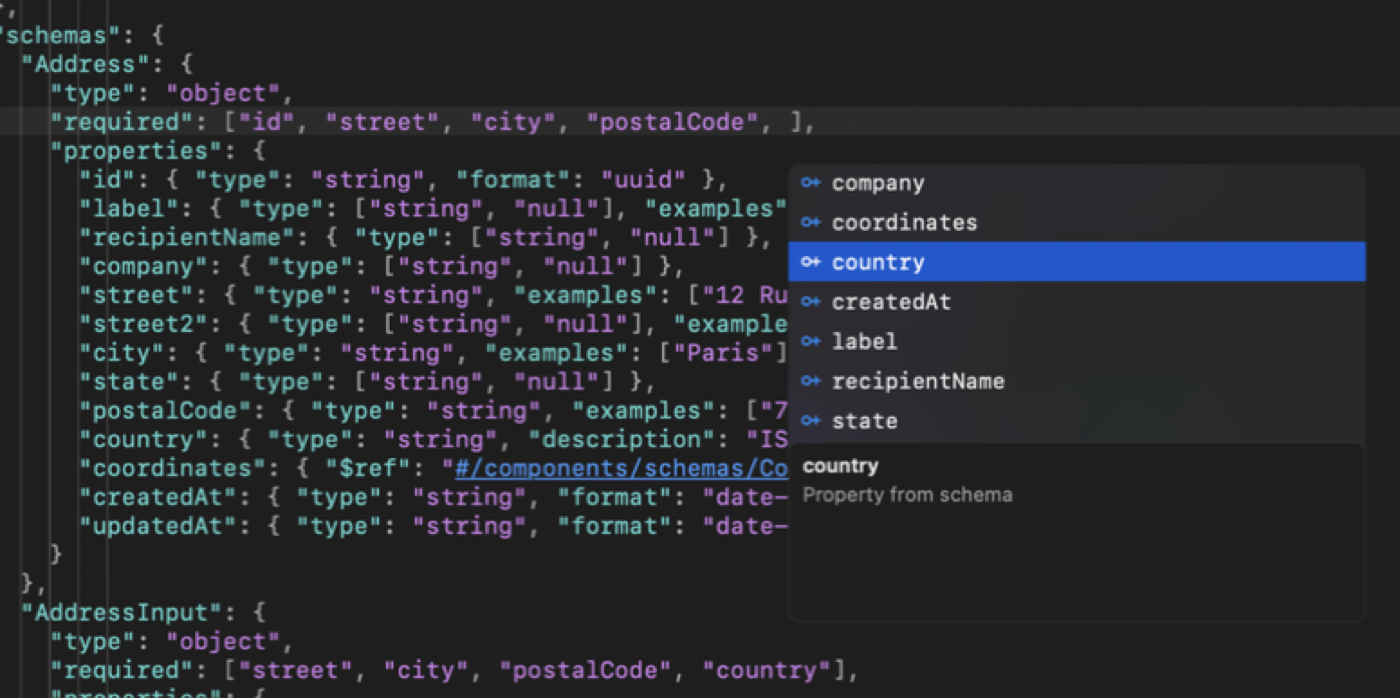
Press Ctrl+Space for suggestions based on your cursor position within the OpenAPI schema. Only valid, missing keys are proposed.
Inline Validation
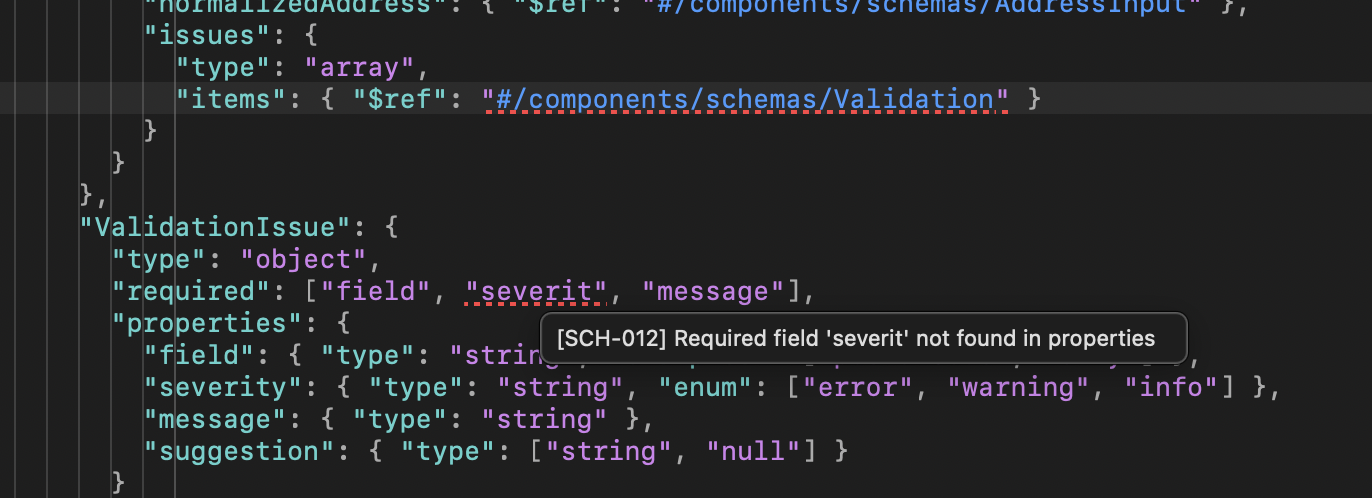
Validate against the OpenAPI spec with red and amber wavy underlines directly in the editor and hover tooltips for details.
Properties Panel
A structured view of all API operations with color-coded method badges, parameters, responses, and click-to-navigate.
Snippet Templates
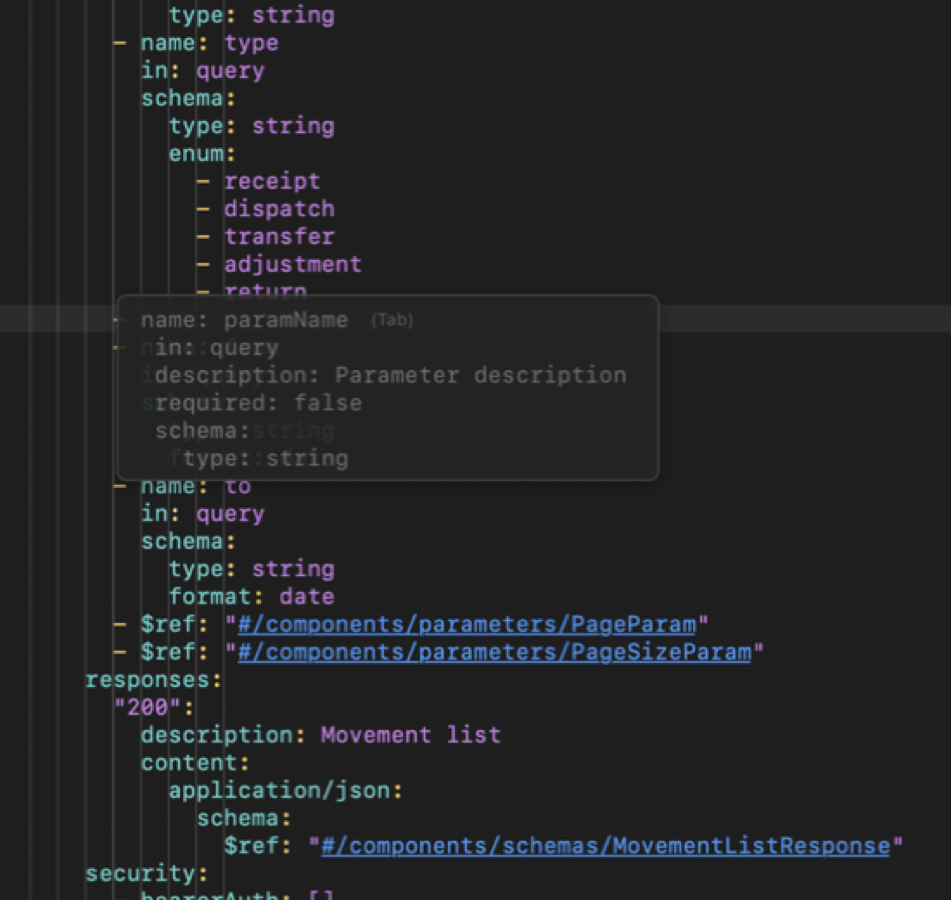
Type a trigger keyword to preview ghost text, press Tab to insert, then navigate through placeholders.
Clickable $ref Navigation
Cmd+Click on any $ref link to jump directly to its definition within the document.
Console
Color-coded log panel with expandable entries, click-to-navigate, and per-document log history.
Format Conversion
Convert between JSON and YAML with the toolbar segmented control. Structure and content are fully preserved.
Intelligent Code Editor
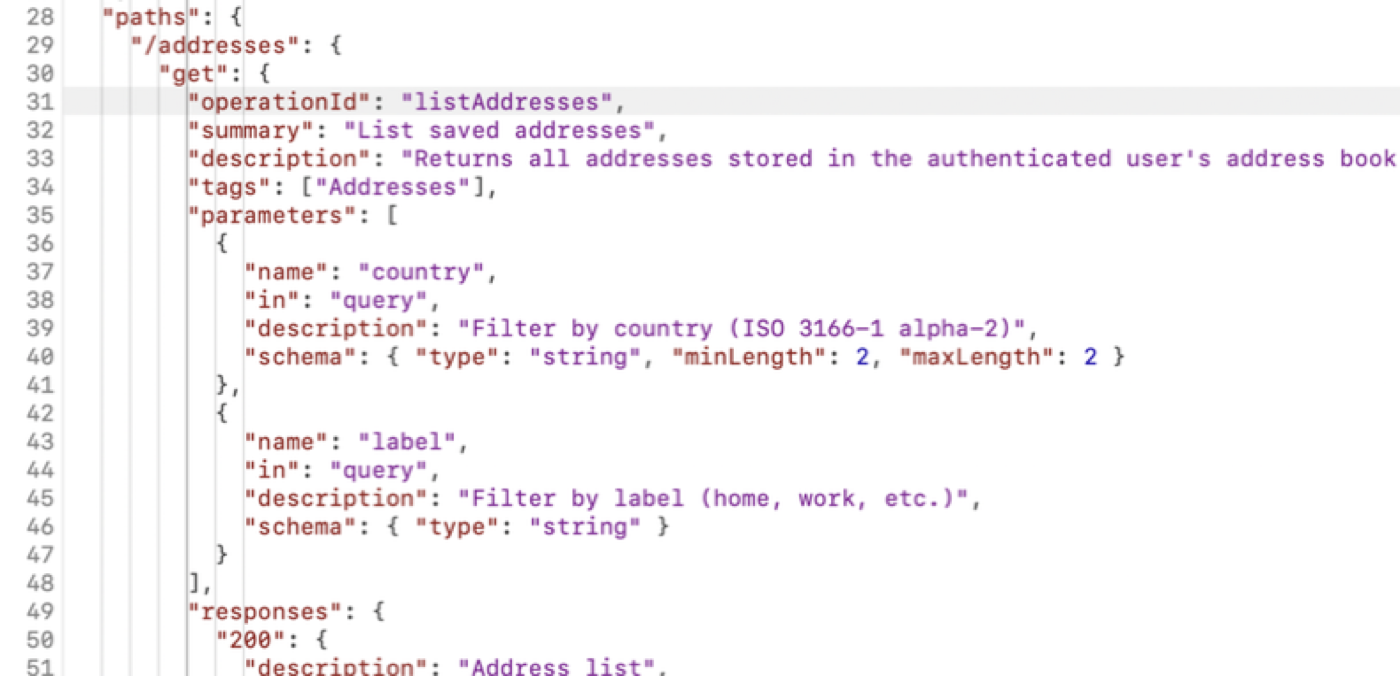
A full-featured text editor designed specifically for API specification files, with viewport-first rendering on a background thread.
- Syntax highlighting — Optimized for JSON and YAML with distinct colors for keys, values, and delimiters
- Indent guides — Vertical lines that visualize nesting depth, with the active guide highlighted
- Current line highlight — A subtle background marks the active editing line
- Auto-indentation — Language-aware rules for both JSON and YAML with automatic bracket insertion
- Tab / Shift+Tab — Indent or unindent single lines or entire selections
- Dark and light mode — Adapts automatically to macOS system appearance
Context-Aware Auto-Completion
Press Ctrl+Space to trigger completions. OhAPI Designer analyzes your cursor position within the OpenAPI schema and suggests valid keys, values, and references.
- Full coverage of OpenAPI 3.0 and 3.1 specifications
- Existing keys are filtered out — only missing keys are suggested
- Single candidate matches are inserted directly
- Navigate with arrow keys, accept with Return or Tab, dismiss with Escape
Snippet Templates
Type a trigger keyword and a semi-transparent ghost text preview appears inline. Press Tab to accept the snippet, then tab through Xcode-style placeholders.
| Trigger | Description |
|---|---|
info | API title, version, and description |
operation-get | GET endpoint with summary and response |
operation-post | POST endpoint with request body and response |
operation-put | PUT endpoint with request body and response |
operation-delete | DELETE endpoint with response |
parameter | Query, path, or header parameter |
response | Response with status and description |
schema | Object schema definition |
request-body | Request body with content type and schema |
security-scheme | Authentication scheme |
server | Server URL and description |
Templates adapt automatically to JSON/YAML format and OpenAPI version.
Clickable $ref Navigation
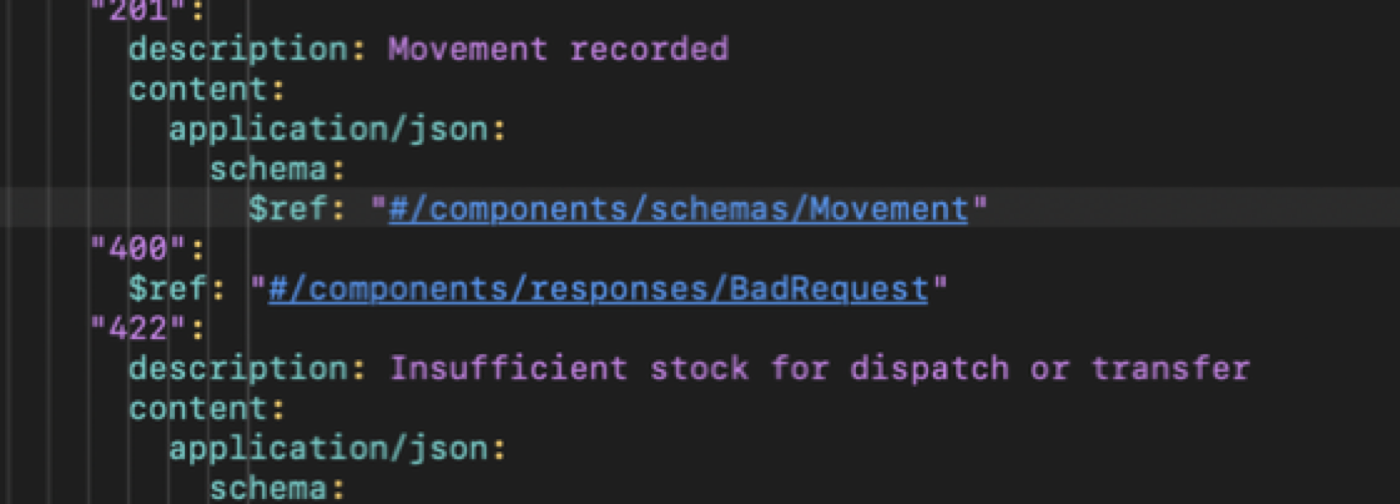
All $ref values are styled as blue, underlined links. Cmd+Click on a reference to jump directly to its definition.
#/components/schemas/...#/components/parameters/...#/components/responses/...#/components/requestBodies/...#/components/headers/...
The cursor changes to a pointing hand when hovering over a link with Cmd held, and the editor scrolls to reveal the target.
OpenAPI Validation
Click the Validate toolbar button to check your document against the OpenAPI specification. Errors and warnings appear directly in the editor.
- Red wavy underlines — Validation errors (missing required fields, type mismatches, invalid references)
- Amber wavy underlines — Warnings
- Hover tooltips — Display the error message and source location
- Decorations persist through edits and clear only when the issue is resolved
Supports both OpenAPI 3.0 and 3.1, including $ref resolution.
Properties Panel
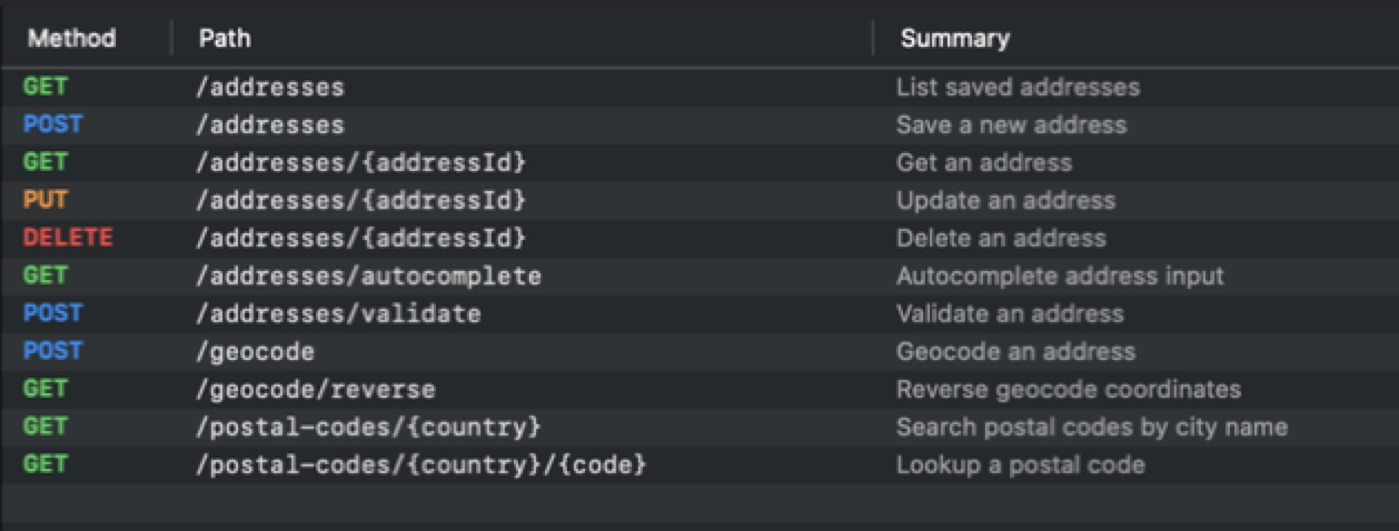
The right side of the window displays a structured view of all API operations in your document.
- Operations table — Every endpoint listed with its HTTP method (color-coded badge), path, and summary
- Operation details — Parameters, request body, responses (color-coded by status family), servers, security, and tags
- Live updates — Refreshes automatically as you edit, with debouncing to avoid flickering
- Click-to-navigate — Click an operation to scroll the editor to its source location
- Deprecated operations appear with strikethrough text
Console
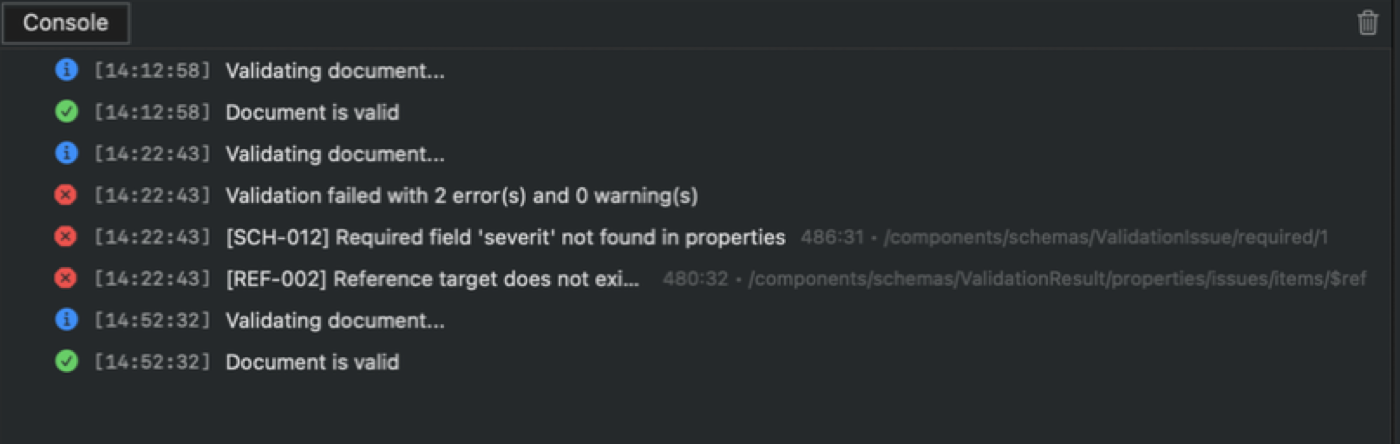
A collapsible console panel at the bottom of the window logs events during your editing session.
- Color-coded log levels — Info (blue), Success (green), Warning (orange), Error (red)
- Click-to-navigate — Log entries with a source location scroll the editor to the relevant line
- Per-document logs — Each open file has its own independent console
Get Started Quickly
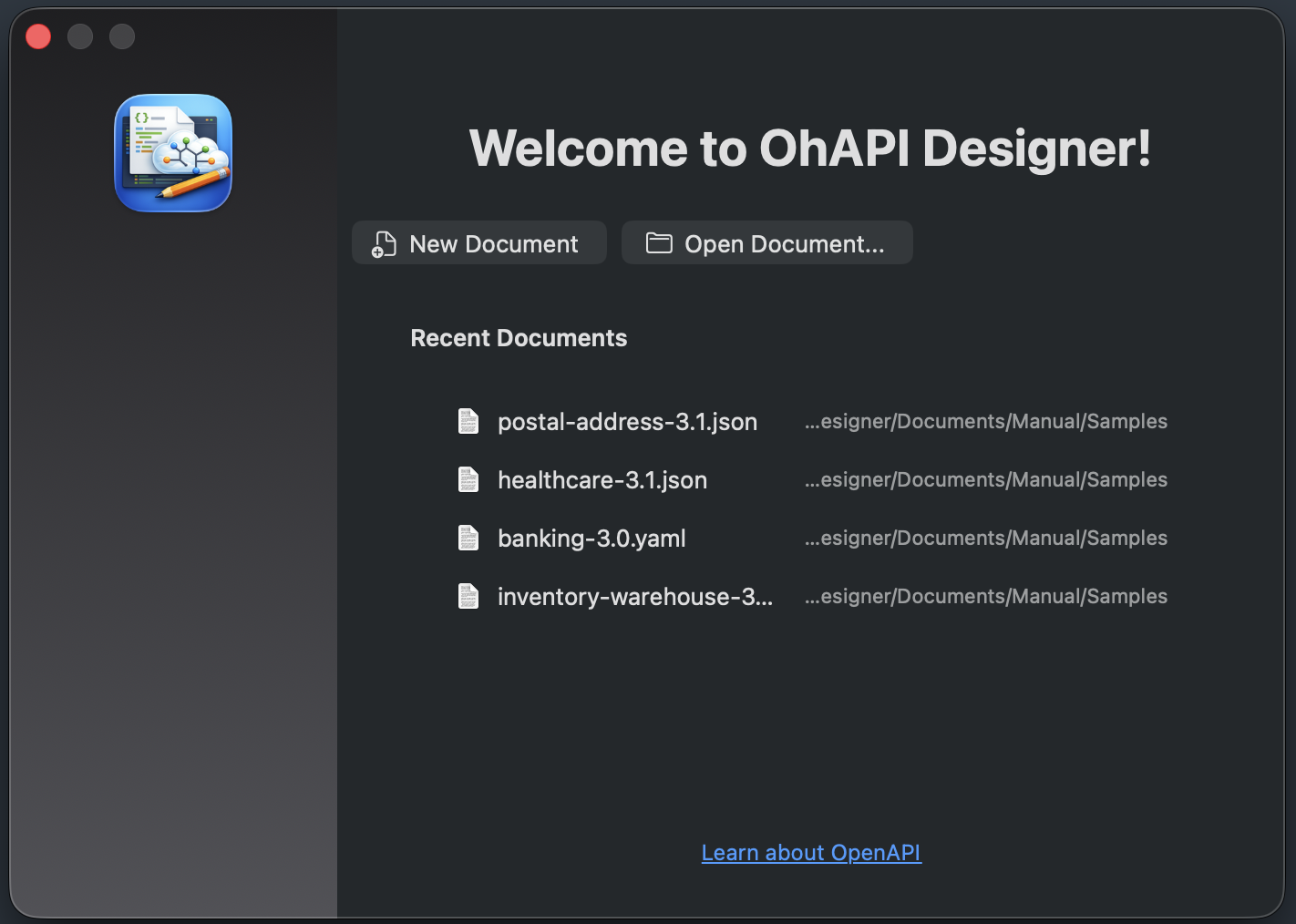
Welcome Screen
On launch, a welcome screen offers quick access to:
- New Document — Opens the new document configuration modal
- Open Document — Opens the file picker
- Recent documents — Quick access to recently opened files
The welcome screen reappears automatically when all documents are closed.
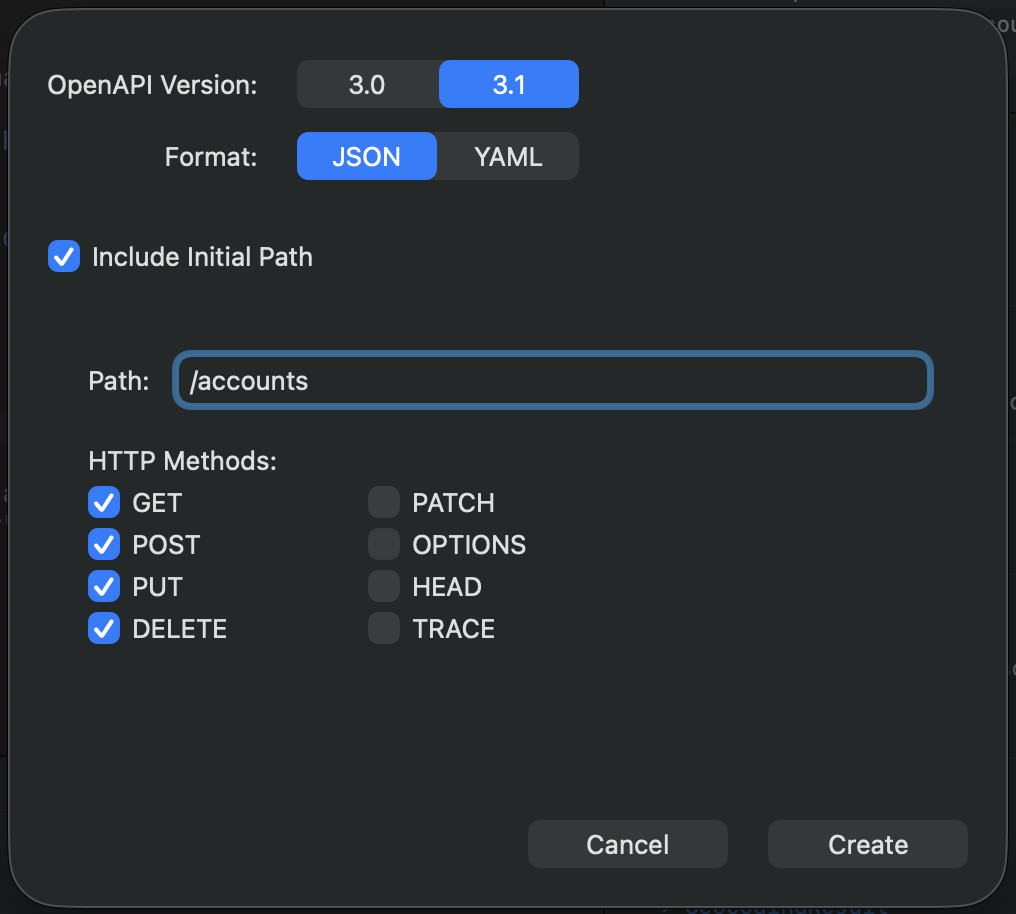
New Document Configuration
File > New opens a modal where you configure your new OpenAPI document before it is created:
- Choose the OpenAPI version: 3.0 or 3.1
- Choose the format: JSON or YAML
- Optionally define an initial path with HTTP method checkboxes
The generated document is a valid, well-structured OpenAPI specification ready for editing.
Keyboard Shortcuts
| Shortcut | Action |
|---|---|
| Cmd+N | New document |
| Cmd+O | Open document |
| Cmd+S | Save |
| Cmd+Z | Undo |
| Cmd+Shift+Z | Redo |
| Ctrl+Space | Trigger auto-completion |
| Tab | Accept ghost suggestion / next placeholder / indent |
| Shift+Tab | Previous placeholder / unindent |
| Escape | Dismiss popup / exit placeholder mode |
| Option+Return | Trigger snippet suggestion |
| Cmd+Click | Navigate to $ref target |
| Cmd+? | Open user manual |
Who Is It For?
OhAPI Designer is built for anyone who works with OpenAPI specifications on macOS.
API Developers
Design and maintain REST APIs with context-aware tooling.
Backend Engineers
Edit API contracts alongside your codebase.
Technical Writers
Document APIs with accurate, validated specifications.
API Architects
Review and structure large OpenAPI documents visually.
Compatibility
| Format | Extensions |
|---|---|
| JSON | .json |
| YAML | .yaml, .yml |
| OpenAPI Version | Status |
|---|---|
| OpenAPI 3.0 | Fully supported |
| OpenAPI 3.1 | Fully supported |
| Requirement | Minimum |
|---|---|
| Operating System | macOS 12.0 (Monterey) |
| Architecture | Intel & Apple Silicon |

Looking for a viewer?
OhAPI visualizes your OpenAPI specifications as interactive tree diagrams with a structured operation browser and syntax-highlighted code viewer.
Discover OhAPIContact Support
If you have any questions please do not hesitate to contact us.
What is OhAPI Designer's privacy policy?
We do not collect any personal data at all.